Read the Overview
Updated
Overview is the first entry in the sidebar and the page you land on. It counts the shipments RegoIQ registered in a period, shows how many reached your TMS, and breaks them down by status, mode, type, loading port and consignee. Use it to see the shape of a week or a month, not to work individual jobs; that happens on Job registration.
You need job registration access. People without it land on the page for the module they do have.
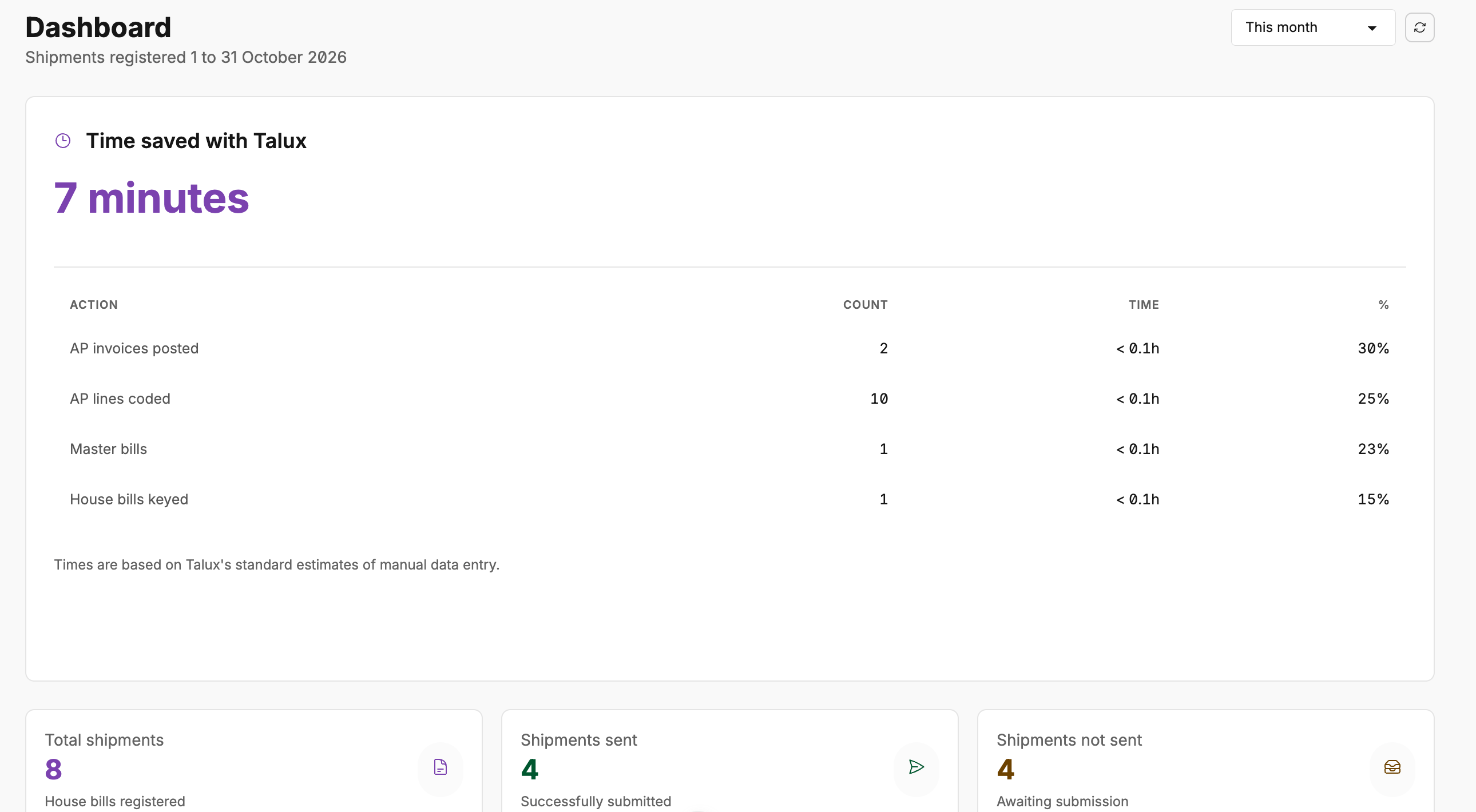
Choose the period
The Reporting period menu offers This week, Last week, This month, Last month, This quarter, Last quarter and Custom, which asks for a Start date and End date. The dates covered are shown under the heading. If you run both Expedient and CargoWise and both have shipments in the period, a switch filters to one platform. Refresh data reloads the figures.
What the cards show
- Total shipments, Shipments sent and Shipments not sent: how many shipments were registered in the period and how many reached your TMS.
- Shipments by status: sent, not sent and unknown.
- Transport mode: sea, air, road, rail and unknown.
- Shipment type: the split by job type.
- Top loading ports and Top consignees: ranked, with each one's share of the shipments shown.
- Time saved with Talux: an estimate of operator time saved, by action, where your organisation has this switched on.
People who manage rules also see the current suggested learnings, the same list as on Learnings; see How corrections become rules.
A period with no registrations shows No shipments registered in this period. If the page cannot load, Retry fetches it again.