Choose what FreightIQ leaves alone
Updated
Updated 23 November 2026.
Not everything in a work mailbox is freight. Payroll, personal mail from a known sender, bank files: you can tell FreightIQ to leave these alone. The lists apply to every connected mailbox in your organisation from the next email that arrives.
In the sidebar, under Settings, select Org rules. The page that opens is headed Organisation settings. Select the Inbox tab. The tab shows only when FreightIQ is switched on for your organisation and your access includes it. If you cannot see it, ask your organisation admin.
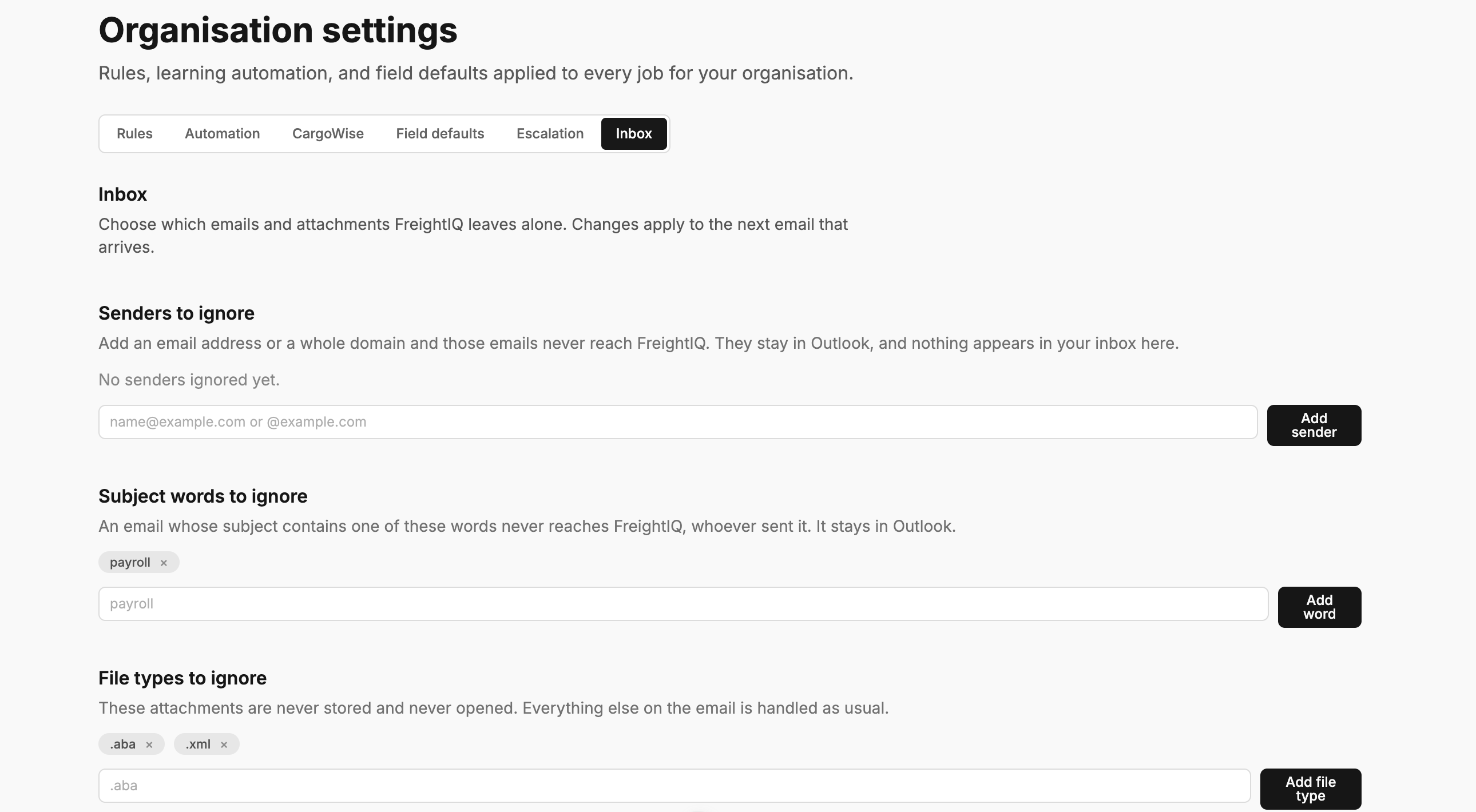
Three lists
- Senders to ignore: an email address, or a whole domain written as @example.com. FreightIQ does not open these emails or their attachments, and they do not show in your inbox here. They stay in Outlook. TaluxIQ keeps a record of the sender, subject and time so it knows the email was skipped. A domain entry matches that exact domain only, not its subdomains, and an address must match in full. The display name is never checked.
- Subject words to ignore: an email whose subject contains one of these words is skipped in the same way, whoever sent it. Matching ignores case and there are no wildcards. A word also matches inside a longer word, so "pay" would skip "payment" and "prepaid". Choose words that will not appear in freight subjects.
- File types to ignore: attachments with these extensions, such as .aba, are never stored and never opened. Everything else on the email is handled as usual. The types FreightIQ needs to read, such as PDF, images, spreadsheets, Word documents and saved emails, cannot be ignored and the page says so.
Add an entry with Add sender, Add word or Add file type. Changes save straight away. An email that was already read is not removed; the list affects what arrives next.
What is not affected
Mail FreightIQ classes as personal, system or newsletter already goes to the Other tab without any setting. Use the ignore lists for mail that looks like work but is not yours to process, or for files that must not be stored.