A job did not appear from an email
Updated
You forwarded a bill of lading, or it landed in the connected mailbox, and nothing showed up. Work through these in order; most cases are one of the first three.
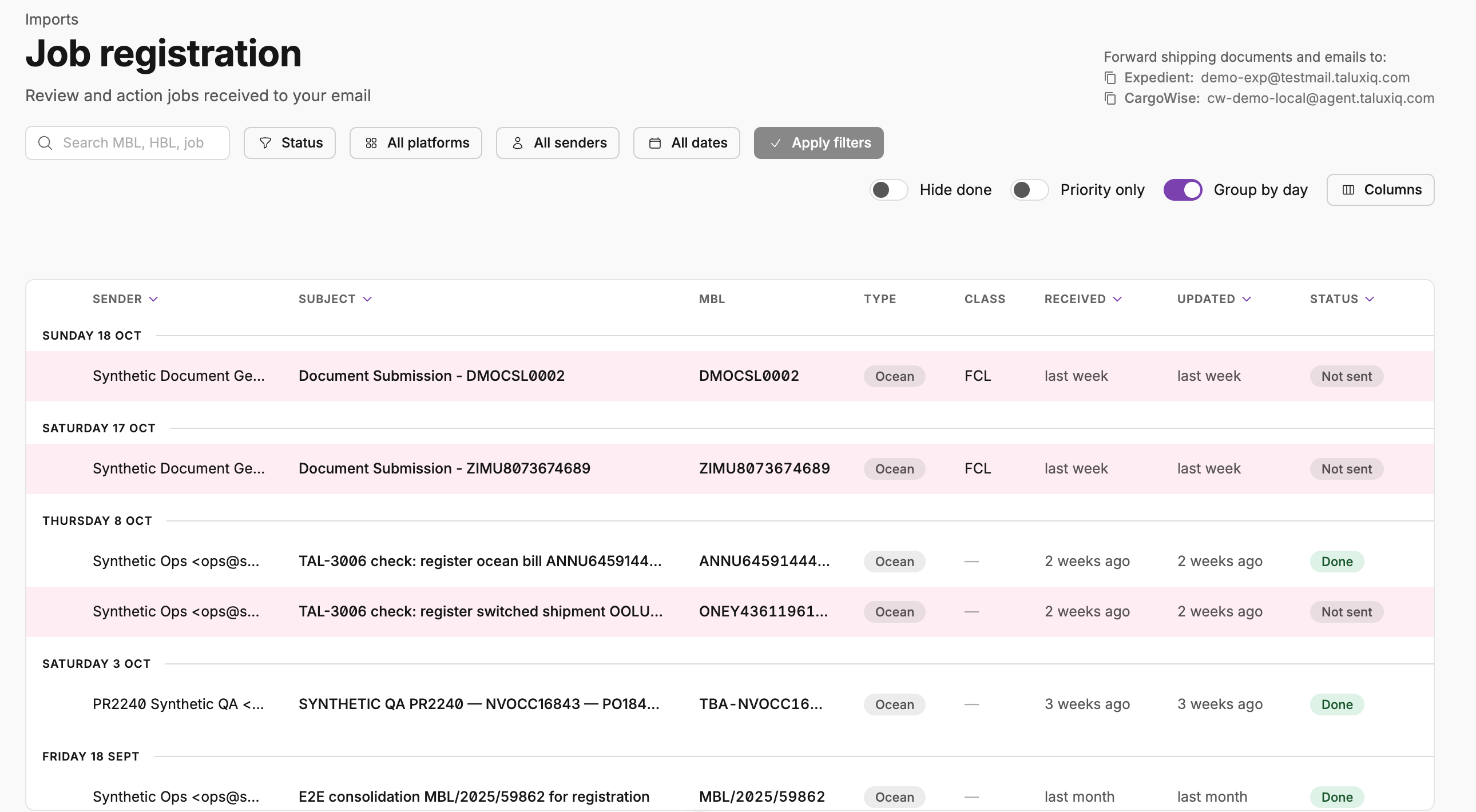
1. Check Job registration, not just the Inbox
Open Job registration under Imports, switch off Hide done and clear any filters, then search by the master bill, house bill or sender. An email that is still being read shows Pending or Processing; give it a couple of minutes. The list checks for new arrivals every 30 seconds.
2. It is waiting for a bill
A shipment is only created from a master bill, house bill, air waybill label or arrival notice. An email with a packing list or invoice alone sits as Awaiting Bill / ARN until the bill arrives, then everything joins up by itself. Forward the bill if you have it.
If your organisation has switched on Create a job from a shipper's letter of instruction or booking request in Organisation settings on the Jobs tab, a letter of instruction or booking request opens the job without waiting for the bill. See Open a job from a shipper's letter of instruction or booking request.
3. It went somewhere else
- AP Invoices status: every attachment was a supplier invoice or statement, so the email went to accounts payable. Look under AP invoices.
- Awaiting consol status: house bills under a parent bill are waiting for the master bill on Awaiting consol.
- In the FreightIQ Inbox, check the Other tab. An email classed as personal, system or newsletter lands there instead; freight mail should not, so tell your TaluxIQ contact if it does.
4. It was kept out on purpose
An administrator may have added the sender, its domain, a word in the subject, or the attachment's file type to the ignore lists in Organisation settings on the Inbox tab. Those emails never reach TaluxIQ. Check the three lists.
5. The mailbox is not syncing
At the foot of the Inbox, the status should read Connected to Outlook. Outlook is not connected means the mailbox owner needs to sign in and connect again. Mail sent to the mailbox before it was connected is only read if that person chose a history period when connecting; use Sync from Outlook in the Mailbox options gear to read further back. Mail that reaches the forwarding address shown on Job registration does not depend on any mailbox.
6. It failed
An email showing Failed could not be read. From its row menu choose Delete & Retry to run it through again. If it fails twice, send the email and its attachments to support@taluxiq.com.